 code前端网
Ubuntu 18.04源码编译安装PHP7.3.5详细过程
安装好新的虚拟机后,接下来记录一下Ubuntu下编译源码安装PHP7的过程
首先下载包源码从官网https://www.php.net/downloads.php
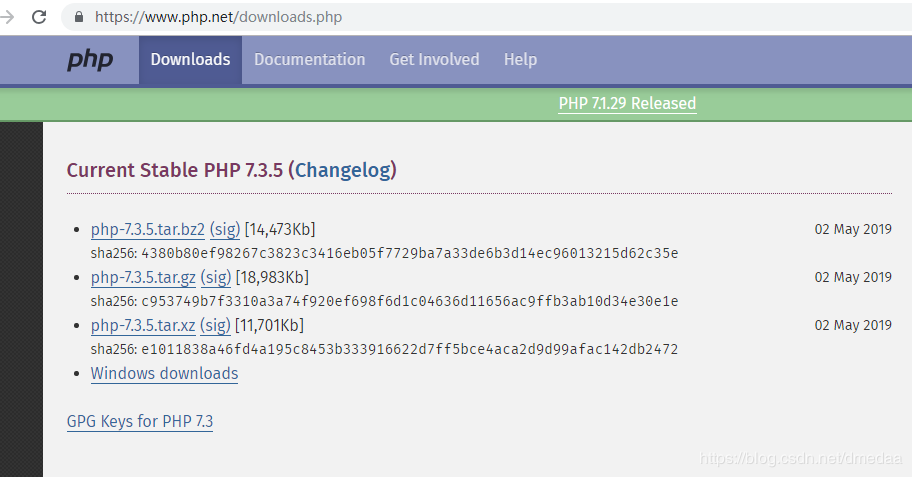
我这里选择的是https://www.php.net/distributions/php-7.3.5.tar.gz
打开虚拟机中,Ctrl+Alt+T打开终端 sudo su 可以切换到超级管理员,不需要每次输入命令都携带sudo。至于为什么不使用图形界面功能,在Ubuntu中不敲命令能做什么呢?
复制下载链接
sudo wget https://www.php.net/distributions/php-7.3.5.tar.gz
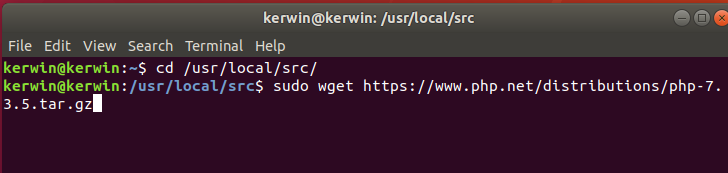
运行以下命令解压
sudo tar -zxvf php -7.3 .5.tar.gz
然后输入密码

cd php-7.3.5/
安装依赖
sudo apt update
sudo apt install gcc
sudo apt install openssl
sudo apt 安装curl
sudo apt 安装 libbz2-dev
sudo apt 安装 libxml2-dev
sudo apt 安装 libpng-dev
sudo apt 安装 lib freetype6-dev
sudo apt install libzip-dev
sudo apt install libssl-dev
预编译
./configure --prefix=/usr/local/php --with-config-file-path=/usr/local/php/etc --enable-fpm --with-fpm-user=www --with-fpm -group=www --with-mysqli --with-pdo-mysql --with-iconv-dir --with-freetype-dir --with-jpeg-dir --with-png-dir --with-zlib - -with-libxml-dir=/usr --enable-xml --disable-rpath --enable-bcmath --enable-shmop --enable-sysvsem --enable-inline-optimization --with-curl-dir=/ usr/bin/curl --enable-mbregex --enable-mbstring --enable-ftp --with-gd --with-openssl --with-mhash --enable-pcntl --enable-sockets --with-xmlrpc --enable-zip --enable-soap --without-pear --with-gettext --disable-fileinfo --enable-maintainer-zts
直到看到这个界面,预编译就成功了
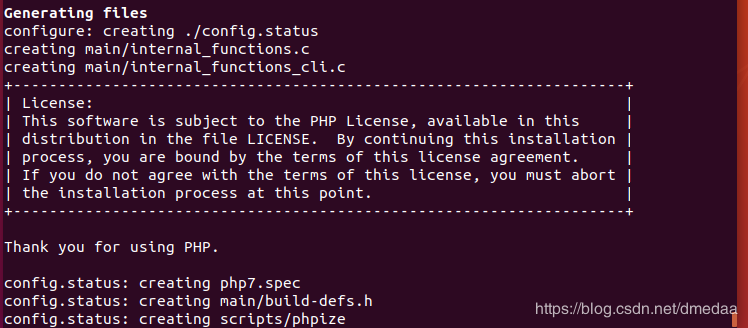
编译和 install 一样, -j 参数指定多次编译的编译线程数。如果不想等,就添加
sudo make -j4
看到的时候就编译完成了
运行以下命令安装
sudo make install
安装完成完成后安装命令
/usr/local/php/bin/php -v
检查此版本
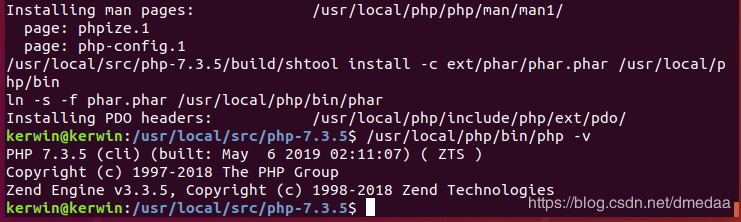
PHP7.3.5是否已成功从源代码编译! ! ! !
最后从源代码中复制编译好的配置文件
sudo cp php.ini-development /usr/local/php/etc/php.ini
本来我想-我要自己写但是想了想忘记了
修复php-fpm命令:
cd /usr/local/etc/ cp php-fpm.conf.default php-fpm.conf
cd php-fpm.d cp www.conf.default www.conf
groupadd www
useradd -g www.cd /usr/local/nginx/conf
将配置文件编辑成多个文件
vim nginx.conf
在nginx.conf中注释掉server{}并添加以下文件

保存并关闭文件
:wq
创建新目录
mkdir vhosts
进入目录
cd vhosts/ 新建配置。建议知道文件名,一文件一个站点
vim 1.com.conf
配置文件内容
server{
listen 801; # 监听端口
server_name 127.0.0.1; # 网站名称
root /wwwroot/ 1.php; # 站点根文本
indexindex.htmlindex.htmindex.php; # 默认导航页面
location / {
index index.html index.htm index.php;
if (-f $request_filename/index.html){
rewrite (.*) $1/index .html 损坏;
}
if (-f $request_filename/index.php){
重写 (.*) $1/index.php;
}♶ 文件名){
重新输入 (.*) /index.php;
}
}
# PHP 配置
位置 ~ \.php$ {
fastcgi_pass 127.0.0.1:9000;
fastcgi_index index_index.php_ $fastcgi_script_name;
include fastc gi_params }

-- -------------------
作者:k3rw1n
来源:CSDN
版权声明
本文仅代表作者观点,不代表Code前端网立场。
本文系作者Code前端网发表,如需转载,请注明页面地址。
