 code前端网
VirtualBox 中 Linux 虚拟机与主机共享文件设置
设置共享文件路径
点击虚拟机设置 --> 选择共享文件夹

(图 1 设置共享文件夹)
设置共享文件文件夹路径
- 1 选择路径
- 2 输入自定义共享名称(稍后应与安装路径匹配)
- 3 设置自动链接/固定分配
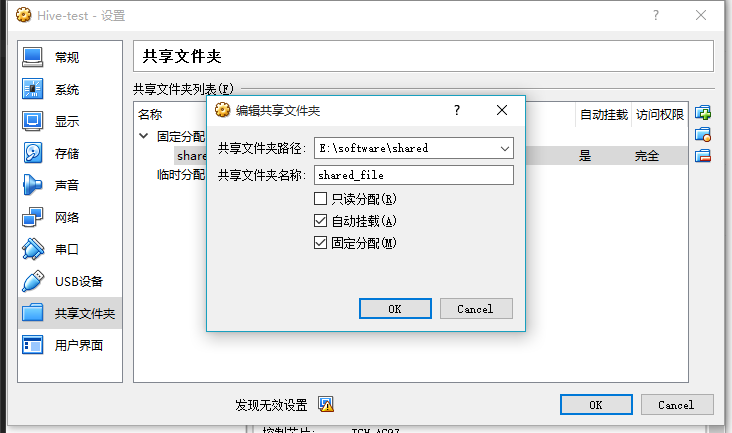
(图 2 在路径属性中设置共享文件)
安装VirtualBox增强工具
先安装必要的软件包
运行以下命令:
yum install -y gcc gcc-devel gcc-c++ gcc-c++-devel make kernel kernel-devel安装完成后,重新启动虚拟机:
shutdown -r now安装virtualBox增强工具
点击设置- ->点击安装增强功能...
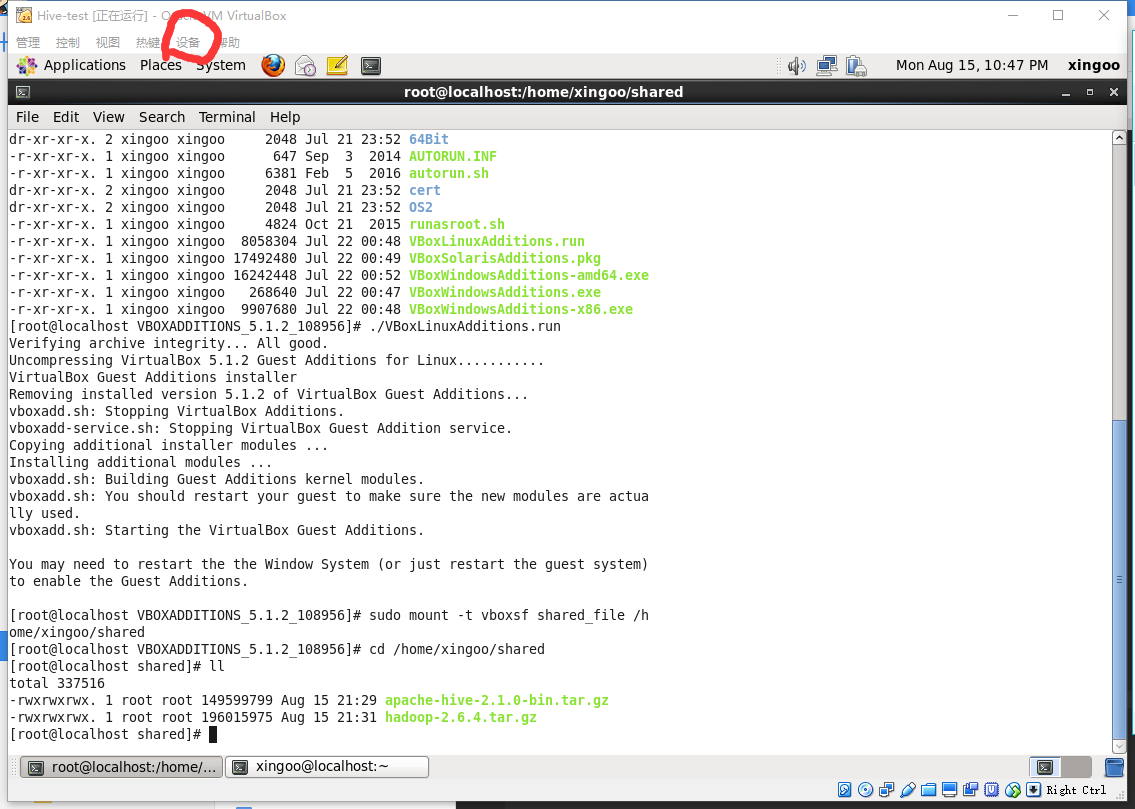
(图3点击设置)
自动运行安装或进入/media/文件夹,运行命令获取输出内容
[root@localhost VBOXADDITIONS_5.1.2_108956]# ./VBoxLinuxAdditions.run
Verifying archive integrity... All good.
Uncompressing VirtualBox 5.1.2 Guest Additions for Linux...........
VirtualBox Guest Additions installer
Removing installed version 5.1.2 of VirtualBox Guest Additions...
vboxadd.sh: Stopping VirtualBox Additions.
vboxadd-service.sh: Stopping VirtualBox Guest Addition service.
Copying additional installer modules ...
Installing additional modules ...
vboxadd.sh: Building Guest Additions kernel modules.
vboxadd.sh: You should restart your guest to make sure the new modules are actually used.
vboxadd.sh: Starting the VirtualBox Guest Additions.

You may need to restart the the Window System (or just restart the guest system)
to enable the Guest Additions.
安装成功!
挂载共享文件夹
切换到root用户,输入挂载命令:
sudo mount -t vboxsf shared_file /home/xingoo/shared注意:格式为
sudo mount -t vboxsf 共享文件夹名称(在设置页面设置的) 挂载的目录然后输入/home/xingoo/shared即可挂载文件参见Windows
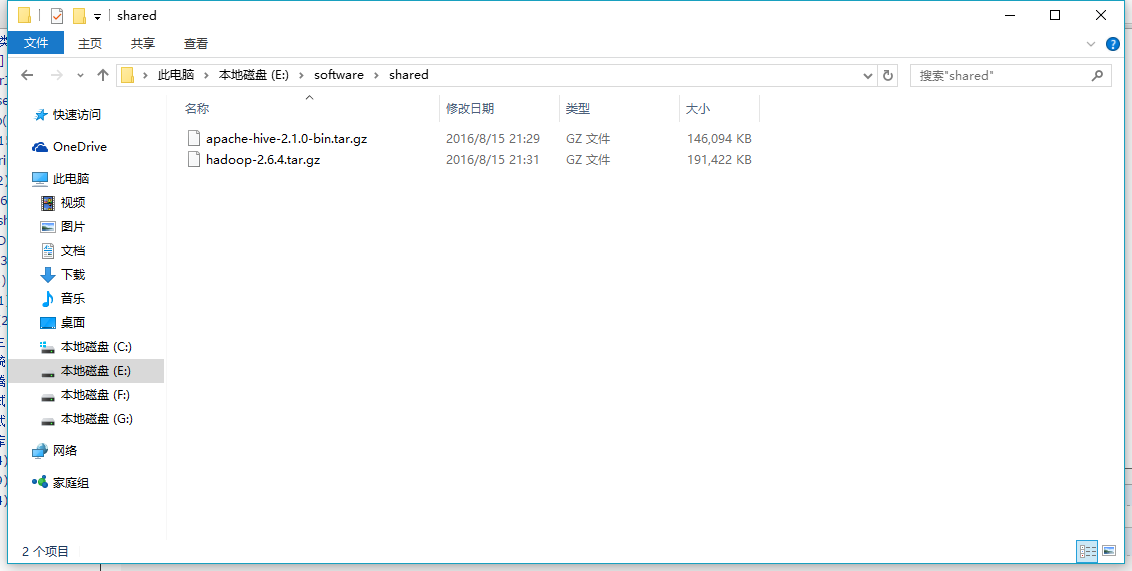
(图4 Windows文件)
[root@localhost shared]# ll
total 337516
-rwxrwxrwx. 1 root root 149599799 Aug 15 21:29 apache-hive-2.1.0-bin.tar.gz
-rwxrwxrwx. 1 root root 196015975 Aug 15 21:31 hadoop-2.6.4.tar.gz
版权声明
本文仅代表作者观点,不代表Code前端网立场。
本文系作者Code前端网发表,如需转载,请注明页面地址。
