code前端网
CSS 中的高级计数器
CSS 中的计数器
众所周知,CSS 中可以使用计数器:
<!-- html -->
<ol class="list">
    <li>a</li>
    <li>b</li>
    <li>c</li>
</ol>
复制代码
<!-- css -->
.list {
counter-reset: i; //reset conunter
}
.list > li {
counter-increment: i; //counter ID
}
.list li:after {
content: "[" counter(i) "]"; //print the result
}
复制代码我们在 counter-reset 属性中定义一个 ID 作为初始值(默认值是 0)。您可以在 counter-increment 属性中设置不同的值作为每个步骤的增量值。
高级 CSS 计数器
您可以计算用户选中了多少个复选框:
<!-- html -->
<div class="languages">
  <input id="c" type="checkbox"><label for="c">C</label>
  <input id="C++" type="checkbox"><label for="C++">C++</label>
  <input id="C#" type="checkbox"><label for="C#">C#</label>
  <input id="Java" type="checkbox"><label for="Java">Java</label>
  <input id="JavaScript" type="checkbox"><label for="JavaScript">JavaScript</label>
  <input id="PHP" type="checkbox"><label for="PHP">PHP</label>
  <input id="Python" type="checkbox"><label for="Python">Python</label>
  <input id="Ruby" type="checkbox"><label for="Ruby">Ruby</label>
</div>
<p class="total">
  Total selected:
</p>
复制代码
<!-- css -->
.languages {
counter-reset: characters;
}
input:checked {
counter-increment: characters;
}
.total:after {
content: counter(characters);
}
复制代码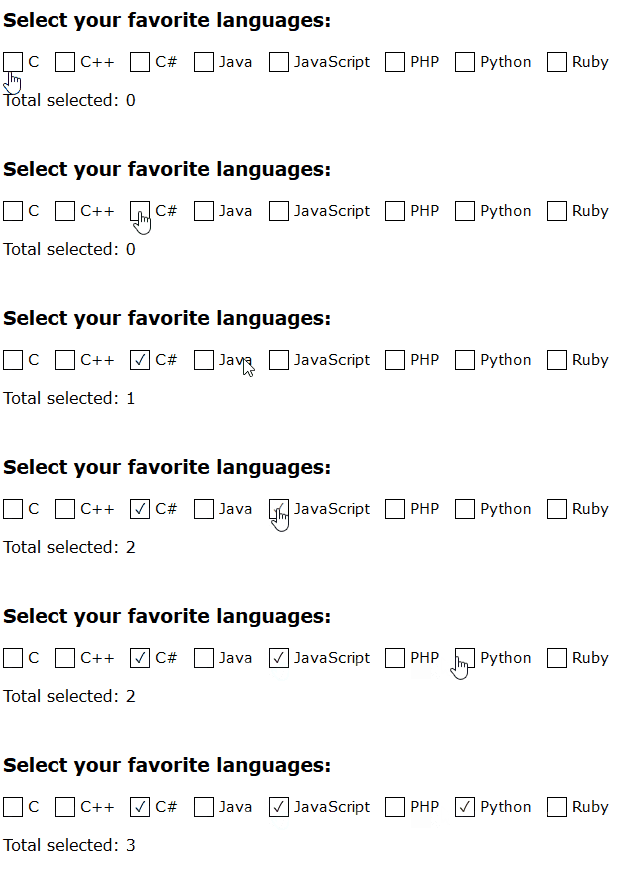
您还可以制作一个简单的计算器:
<!-- html -->
<div class="numbers">
  <input id="one" type="checkbox"><label for="one">1</label>
  <input id="two" type="checkbox"><label for="two">2</label>
  <input id="three" type="checkbox"><label for="three">3</label>
  <input id="four" type="checkbox"><label for="four">4</label>
  <input id="five" type="checkbox"><label for="five">5</label>
  <input id="one-hundred" type="checkbox"><label for="one-hundred">100</label>
</div>
<p class="sum">
  Sum
</p>
复制代码
<!-- css -->
.numbers {
counter-reset: sum;
}
#one:checked { counter-increment: sum 1; }
#two:checked { counter-increment: sum 2; }
#three:checked { counter-increment: sum 3; }
#four:checked { counter-increment: sum 4; }
#five:checked { counter-increment: sum 5; }
#one-hundred:checked { counter-increment: sum 100; }
.sum::after {
content: '= ' counter(sum);
}
复制代码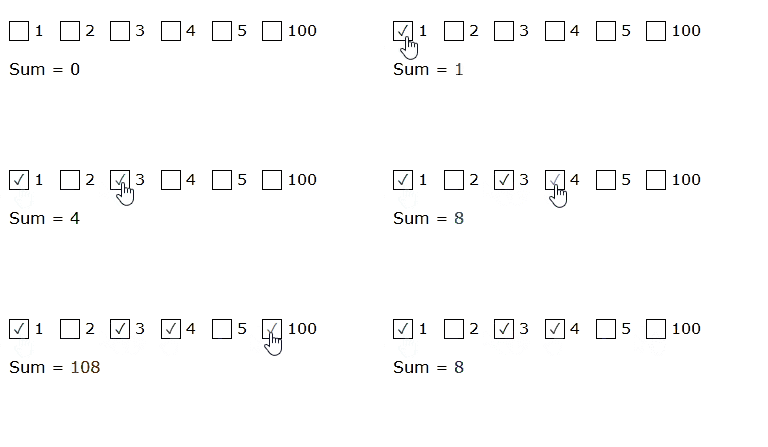
也可以,请参阅详细 DEMO 和文章。
作者:Jrain
链接:https://juejin.im/post/5c1101875188257afc713809
来源:掘金
属于作者。如需商业转载,请联系作者以获得批准。非商业转载请注明出处。
版权声明
本文仅代表作者观点,不代表Code前端网立场。
本文系作者Code前端网发表,如需转载,请注明页面地址。
相关文章